
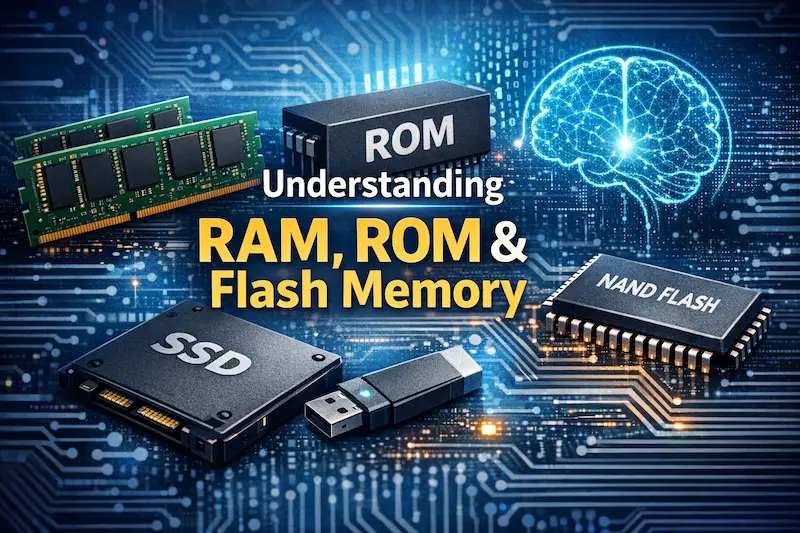
Struggling with terms like RAM, ROM1, and Flash? This confusion can lead to poor design choices, hurting your product's performance or budget. Let's clear this up together right now.
Memory chips are broadly classified into two main types based on whether they retain data after power is turned off: volatile memory2 (like RAM3), which loses data, and non-volatile memory4 (like Flash5), which keeps data. This is the most fundamental distinction in memory technology.
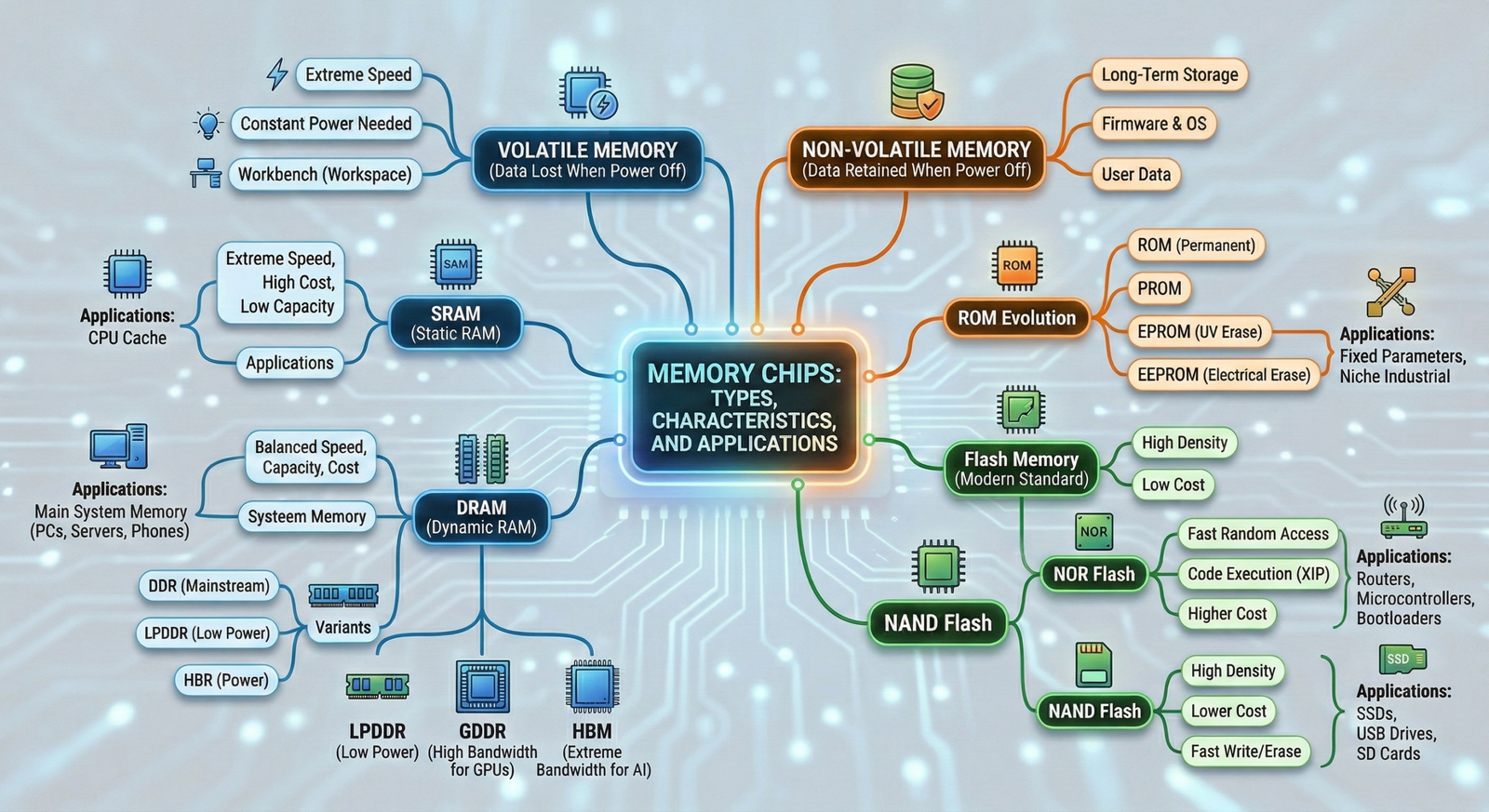
Understanding this core difference is the first step, but the real magic happens when you see how these types are used in the real world. I’ve spent over 15 years sourcing these electronics components for clients, and I've seen firsthand how the right choice can make or break a project. Let's dive into the specifics of each category so you can make informed decisions for your next electronic device.
What Is Volatile Memory and Why Is It So Fast?
Does your device need to think quickly? Volatile memory acts as its short-term brain, but choosing the wrong kind can create a bottleneck. Let's look at the options.
Volatile memory, like SRAM6 and DRAM7, is extremely fast because it provides direct, rapid access to data for a processor. It's designed for active tasks, acting as the system's workspace. However, it requires constant power to hold onto information, so all data is lost upon shutdown.
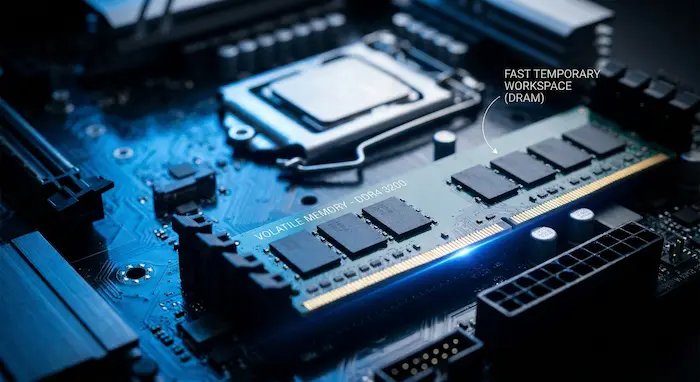
The speed of volatile memory2 is its defining feature. It’s what allows your computer or phone to run multiple applications smoothly. Think of it as a workbench. You pull out the tools and materials you need (data and programs) from the warehouse (long-term storage) and place them on the workbench (volatile memory) to work on them. It’s much faster to grab something from the bench than to run back to the warehouse every time. I remember working with a client on an industrial automation controller. The system's responsiveness was critical. We had to carefully select the right type of RAM3 to ensure the processor could execute commands without any delay. This choice directly impacted the machine's safety and efficiency. Now, let's break down the main players in this category.
SRAM vs. DRAM
The two main types of volatile memory are SRAM (Static Random-Access Memory) and DRAM (Dynamic Random-Access Memory). SRAM is incredibly fast but also expensive and holds less data. It's typically used for CPU caches—tiny, high-speed memory pools right next to the processor. DRAM7 offers a great balance of speed, capacity, and cost, making it the go-to for main system memory in computers, servers, and smartphones.
A Look at DRAM Variants
DRAM itself has evolved into several specialized types, each tailored for a specific job.
| DRAM Type | Primary Use Case | Key Feature |
|---|---|---|
| DDR | PCs, Laptops, Servers | Mainstream, balanced performance |
| LPDDR8 | Smartphones, Tablets, Wearables | Low Power consumption for battery life |
| GDDR9 | Graphics Cards (GPUs) | High Bandwidth for parallel processing |
| HBM10 | AI Accelerators, HPC | Extreme Bandwidth for massive data |
Choosing the right one is essential. For a client's smart payment terminal, we used LPDDR to maximize battery life without sacrificing transaction speed. For another client's high-end motor controller, standard DDR was the perfect fit.
What Is Non-Volatile Memory and Where Is It Used?
Your device needs to remember its instructions and user data even when unplugged. Non-volatile memory is the key, but the options have changed dramatically over the years. Let's see what's what.
Non-volatile memory is a type of storage that retains data even when the power is turned off. It is used for long-term storage of firmware, operating systems, applications, and user data. Common examples include ROM, Flash memory, SSD11s, and USB drives.
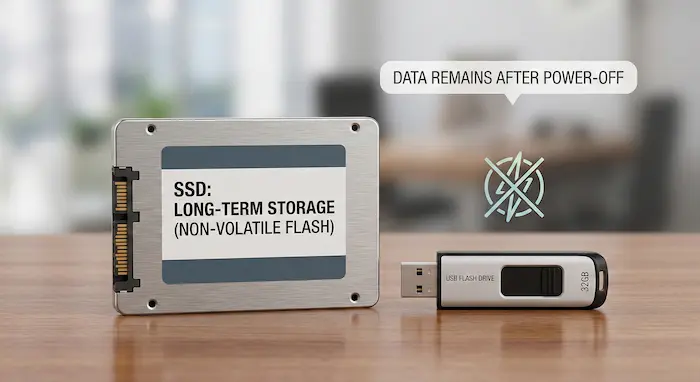
The ability to permanently store information is fundamental to any modern electronic device. Without it, you would have to reinstall the operating system every time you turned on your phone or computer. I often work with product designers who need a reliable way to store firmware—the essential software that makes their hardware work. We have to select a non-volatile memory chip that is not only cost-effective but also durable enough to last the product's entire lifecycle. This memory holds everything from the boot-up sequence to critical configuration settings. Let's explore the evolution and the most common types used today.
From ROM to Flash
The journey of non-volatile memory started with ROM (Read-Only Memory). These were chips with data permanently written on them during manufacturing. Over time, we got more flexible options.
- PROM (Programmable ROM): Could be written to once by the user.
- EPROM (Erasable PROM): Could be erased with ultraviolet light and reprogrammed.
- EEPROM (Electrically Erasable PROM): Could be erased with an electrical signal, making updates much easier.
These older types are still used in some niche industrial applications for storing fixed parameters. However, the true game-changer was the invention of Flash memory. Flash combined the high density and low cost needed for mass storage with the electrical erasability of EEPROM.
Flash Memory: The Modern Standard
Today, Flash is everywhere. It’s the technology inside your smartphone's storage, the solid-state drive (SSD) in your laptop, and the trusty USB drive in your pocket. Its low cost and high capacity have made it the dominant form of non-volatile storage. For nearly every project we handle at ACE, from medical devices to automotive systems, Flash memory is used to store the core operating code and user data. It's the reliable foundation that modern electronics are built on.
NOR vs. NAND Flash12: Which One Do You Need?
You've decided on Flash memory, but now you see two types: NOR and NAND. They seem similar, but choosing the wrong one can cripple your device's performance. So what's the difference?
NOR Flash13 offers fast random-access read speeds, making it ideal for storing and executing code directly (XIP). NAND Flash12 offers higher density, lower cost, and faster write/erase speeds, making it better for high-capacity data storage14 like in SSDs and memory cards.
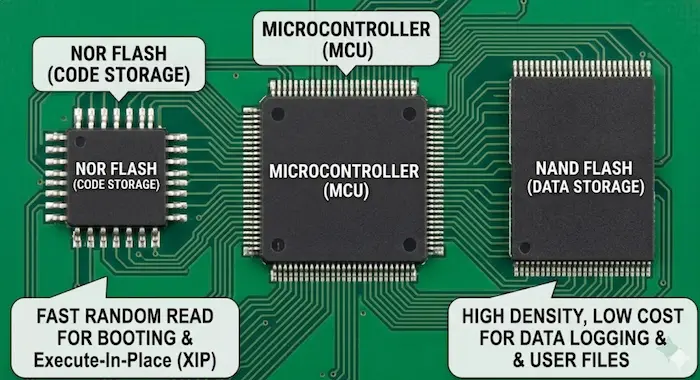
This is one of the most common decision points I discuss with hardware engineers. The choice between NOR and NAND isn't about which is "better" overall, but which is right for a specific task. I once had a client developing an IIoT sensor15. They initially planned to use only NAND Flash to save costs. However, their device needed to boot up instantly. The slow random read speed of NAND was a major problem. We revised the design to include a small NOR Flash chip just for the boot code and firmware, while a larger NAND chip handled the data logging. This hybrid approach gave them the best of both worlds: fast boot times and affordable mass storage.
Breaking Down the Differences
The core distinction comes from their internal structure. NOR Flash has a structure that allows for fast random access, almost like RAM, which is why you can run programs directly from it. NAND Flash has a more compact, serial-like structure, which makes it denser and cheaper but slower for random reads.
Here’s a simple breakdown to help you decide:
| Feature | NOR Flash | NAND Flash |
|---|---|---|
| Best For | Storing and executing code (Firmware, OS) | Storing data (Photos, videos, documents) |
| Read Speed | Very fast (for random access) | Slower (for random access), fast sequentially |
| Write/Erase Speed | Slower | Faster |
| Cost per Bit | Higher | Lower |
| Density | Lower | Higher |
| Typical Use | Routers, Microcontrollers, Bootloaders | SSDs, USB drives, SD Cards, eMMC16 in phones |
So, if your device needs to store its core operating software and boot quickly, NOR Flash is your answer. If you need to store large amounts of data cheaply, like sensor readings or user files, NAND Flash is the way to go. Many complex systems, like the IIoT sensor I mentioned, use both.
Conclusion
In short, memory is split into two families. Volatile memory is for fast, temporary work, while non-volatile memory is for permanent, long-term storage. Understanding this is key to building great electronics.
Need Help with Memory Chips?
At ACE Electronics, we have 15 years of experience in electronic components and PCBA services. We have helped many clients choose the right memory for their projects—from factory devices to car electronics. Whether you need help picking memory types or finding hard-to-get chips, our team can guide you through the choices and supply issues. If you need memory chips or full PCBA support, visit our Components Sourcing page. We look forward to helping you build great products.
+++FAQ+++
- What is the fundamental difference between volatile and non-volatile memory?
The main difference is how they handle data when the power goes out. Volatile memory (like RAM) loses all its data when the device is turned off, acting as a temporary workspace. Non-volatile memory (like Flash or ROM) retains its data permanently, even without power, making it essential for storing your operating system and files.
- Why do devices need volatile memory if it loses data?
Volatile memory, such as SRAM and DRAM, is incredibly fast. It provides the processor with direct, rapid access to the data and applications you are actively using, preventing performance bottlenecks that would occur if the processor had to pull every piece of data from slower, long-term storage.
- What is the difference between SRAM and DRAM?
While both are volatile memory, SRAM (Static RAM) is exceptionally fast but expensive and low-capacity, typically used for small CPU caches. DRAM (Dynamic RAM) is more cost-effective and holds more data, making it the standard choice for the main system memory in laptops, servers, and phones.
- Which type of RAM is best for battery-powered electronics?
If you are designing a device where battery life is a priority—like a wearable, tablet, or smartphone—LPDDR (Low Power Double Data Rate) is the best choice. It is a specialized variant of DRAM designed specifically to minimize power consumption without sacrificing necessary speed.
- Should I use NOR Flash or NAND Flash for my device?
It depends on the task. Use NOR Flash if your device needs to boot quickly and execute code directly (like firmware or operating systems) because of its fast random-access read speeds. Choose NAND Flash if you need high-capacity, cost-effective data storage (like an SSD or USB drive) for user files, photos, and videos.
- Why did Flash memory replace older ROM technologies like EPROM and EEPROM?
Flash memory became the modern standard because it combined the high data density and low cost needed for mass storage with the convenience of being electrically erasable and reprogrammable. Older technologies were either single-use, required UV light to erase, or were not scalable for modern high-capacity needs.
+++FAQ+++
Learn about ROM's importance in storing firmware and its applications in various devices. ↩
Understand the significance of volatile memory in computing and its impact on performance. ↩
Explore this link to understand RAM's role in device performance and its impact on speed. ↩
Explore the different types of non-volatile memory and their applications in technology. ↩
Discover the versatility of Flash memory in modern electronics and its advantages. ↩
Learn about SRAM's speed advantages and its specific use cases in computing. ↩
Discover the different types of DRAM and their roles in system memory. ↩
Find out how LPDDR optimizes battery life in smartphones and tablets. ↩
Explore GDDR's role in graphics processing and its importance for gaming. ↩
Learn about HBM's high bandwidth capabilities and its impact on AI performance. ↩
Understand the advantages of SSDs over traditional hard drives in data storage. ↩
Explore the benefits of NAND Flash for high-capacity data storage solutions. ↩
Learn about NOR Flash's fast access speeds and its applications in firmware storage. ↩
Explore various data storage options and their suitability for different applications. ↩
Discover the significance of IIoT sensors in modern industrial applications. ↩
Explore this link to understand eMMC's role in modern devices, its advantages, and how it compares to other storage types. ↩